Creating Transportation Requests
Perform the following steps to create a transport request for a reservation and view the details of the request in the Activity Schedule screen:
In the Reservations module, search for and select the reservation for which transportation information must be added. The View Reservation screen will appear.
Search for and select the Transport Information option from the Actions pane.
Create a transportation assignment for the reservation, for example, create a pickup request.
Enter the preferred details.
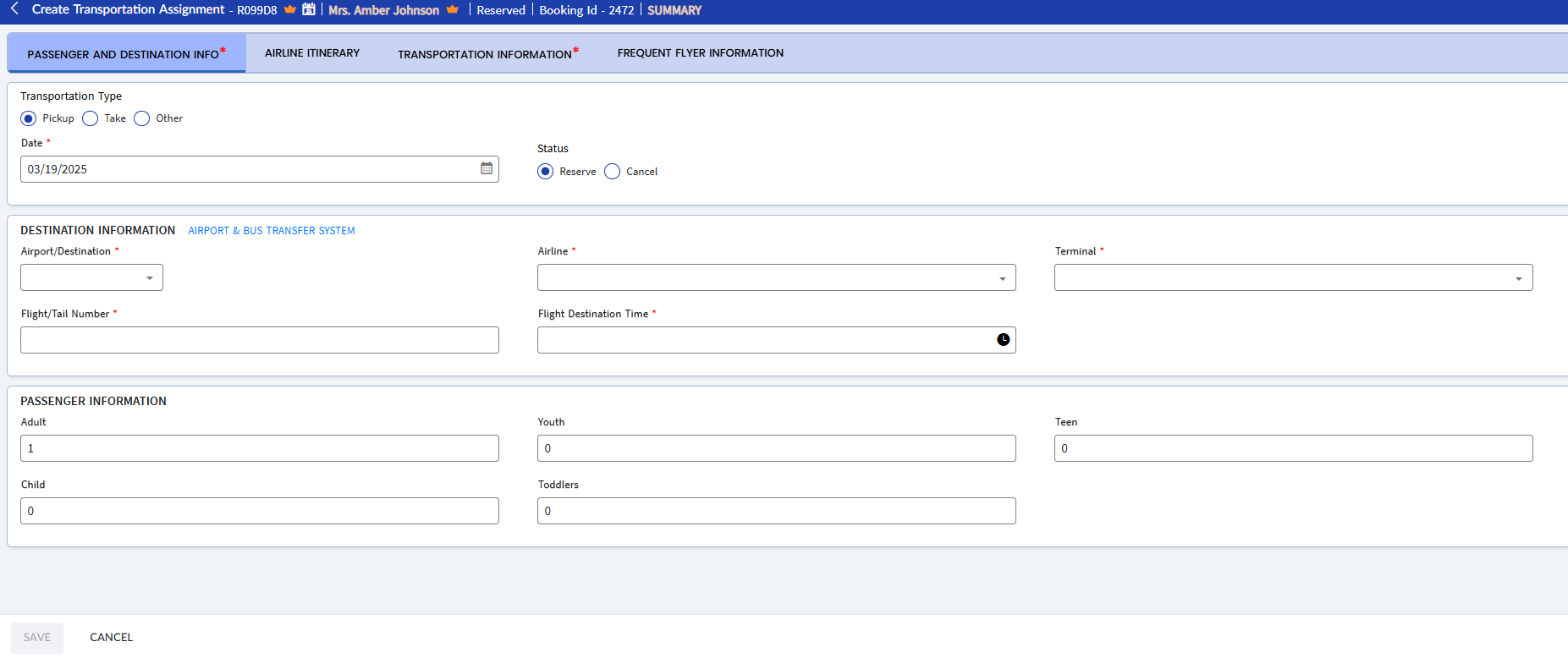
Click Save.
After transportation assignments are created, the Transportation Information option in the View Reservation screen will display the total count of transportation assignment records associated with a reservation.
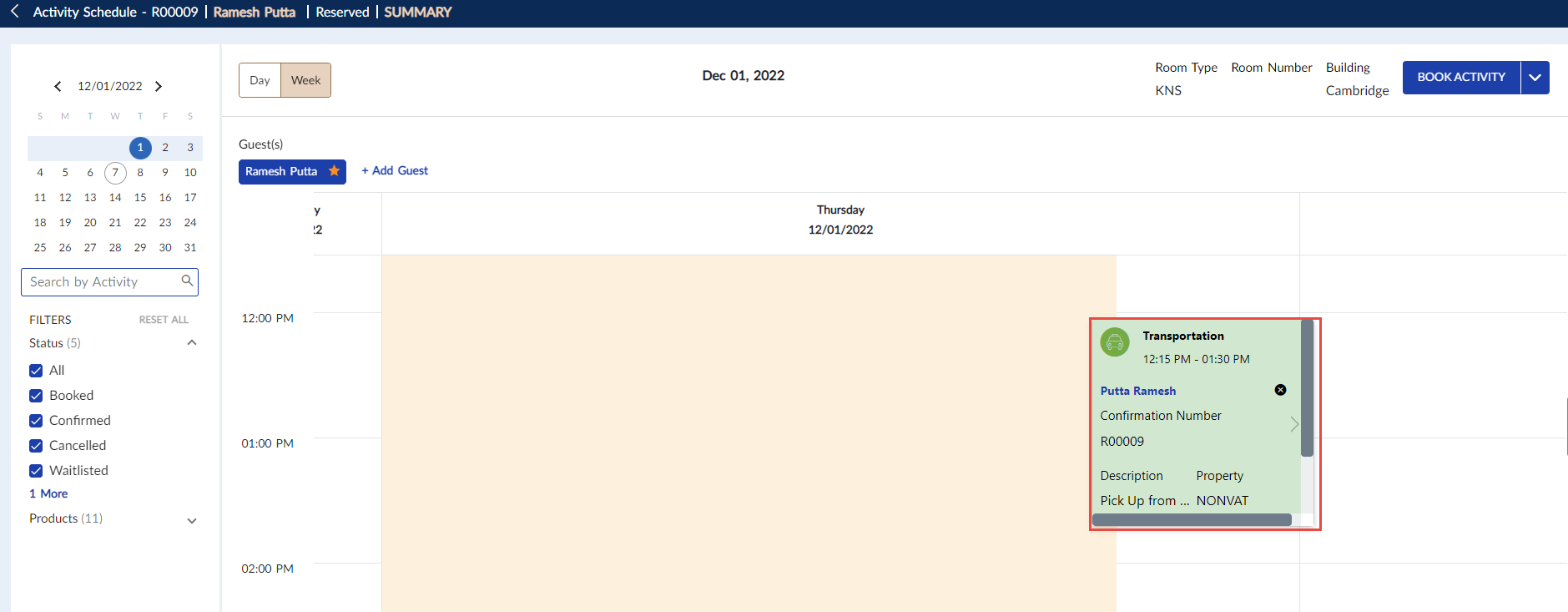
Navigate to the Activity Schedule screen. A tile with the label, Transportation, will appear in the grid for the scheduled time.